AI book cover creator for self-publishing authors
Most cover tools hand you a template and a stock photo. BoundlessInk's cover creator sits next to the manuscript, so the brief comes from your own book — then exports the exact files KDP asks for, including a full print wrap with a calculated spine.
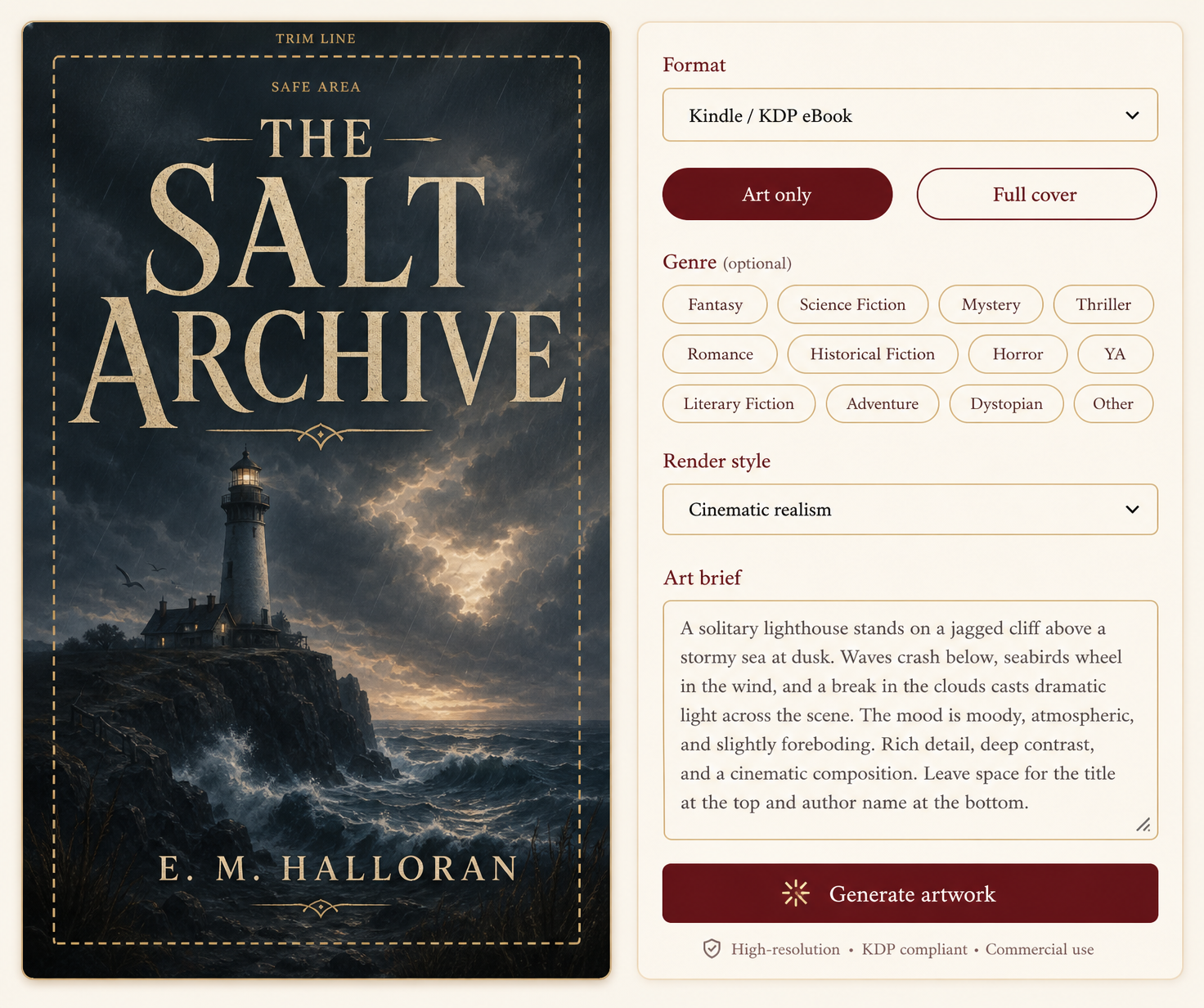
How the cover workflow runs
- 01
Pick the format first
Kindle / KDP eBook (1600×2400), Apple Books, square audiobook, or a paperback trim from 5×8" to 8.5×11". Print presets already include 0.125" bleed at 300 DPI, and a safe-area overlay shows what trimming can eat.
- 02
Brief the art from your manuscript
Auto-write from my book pulls setting, era, and cast out of the imported text and story bible, so the brief describes your novel instead of a stock scene. Choose a genre vibe and render style, or let the brief decide.
- 03
Generate, then re-roll what's off
Generate one piece of artwork or four variants side by side. Every generation records the pose, palette, lighting, composition, and typography it used, so you can re-roll only the part that isn't working.
- 04
Set title and author type
Genre-aware typography with outline, shadow, glow, gradient, and metallic effects, free placement anywhere on the cover, and the option to hide the overlay entirely when the artwork already has baked-in lettering.
- 05
Build the print wrap
Enter page count and paper type. BoundlessInk calculates spine width, centres the spine text, keeps the barcode area clear on the back, and exports a print-ready PDF at the physical trim size.
- 06
Lock the series look
Save a character to the series cast once and their reference is attached to every future cover, so book three keeps the same face, hair, and build as book one.
What you can export
- Kindle / KDP eBook — 1600 × 2400 (2:3)
- Apple Books — 1400 × 2100
- Audiobook / square — 3000 × 3000
- Wattpad & social — 512 × 800
- 5 × 8", 5.25 × 8", 5.5 × 8.5" paperback at 300 DPI
- 6 × 9" trade, 6.14 × 9.21" KDP, 7 × 10", 8.5 × 11"
- Full print wrap PDF — back, spine, front, with bleed
- PNG or JPG front cover for retailer uploads
Why authors use it instead of a template editor
A template editor doesn't know your book. It can't tell that your protagonist is seven months pregnant in chapter one, that the third act happens in a January blackout, or that book two has to match book one. The cover creator reads the manuscript you already imported, so the brief starts with facts instead of adjectives.
It also finishes the job. Ebook art is the easy half — the part that stalls paperback releases is the wrap: spine width from page count and paper stock, spine text that stays centred, a back cover that leaves the barcode zone alone, and bleed that survives trimming. That's built in, not a separate service.
And when the artwork is close but not right, you don't start over. Every generation logs which pose, palette, lighting, composition, and font it used, so you re-roll typography alone, or keep the character and change the scene.
Cover creator FAQ
Does the AI cover creator make KDP-ready files?
Yes. Every ebook preset ships at Amazon KDP's 2:3 spec (1600×2400 for Kindle) and every paperback preset renders at 300 DPI with 0.125" bleed already included, so the download can be uploaded straight to KDP.
Can it make a full print wrap with a spine and back cover?
Yes. Choose a trim size from 5×8" to 8.5×11", enter page count and paper type, and BoundlessInk calculates spine width, centres the spine text, and leaves the standard barcode area clear on the back cover. The wrap exports as a print-ready PDF.
Do the covers match my actual book?
The Auto-write from my book button builds the art brief from your manuscript and story bible, so the setting, era, and characters on the cover come from the text you imported rather than a generic prompt.
Can I keep the same character across a series?
Yes. Lock a character once in the series cast and their reference image is sent with every later cover, so face, hair, and build stay consistent while pose, outfit, and scene change.
Is the AI book cover creator free?
The free plan includes one active manuscript and the cover workspace so you can design and preview. Paid plans start at $15/mo billed yearly and unlock unlimited books plus higher AI limits.
Can I upload my own artwork instead of generating it?
Yes. Upload finished artwork and use BoundlessInk only for typography, layout, safe-area checking, and print wrap assembly.
Start with the book you already wrote
Import a manuscript, let BoundlessInk detect the chapters and build the story bible, then design the cover from what's actually on the page.